Open course material · University of Southern Denmark
Learn R for research
From raw data to reproducible results. R4phd is a free, hands-on introduction to R, RStudio, the tidyverse and the core principles of good data science practice. No prior programming experience needed.
What you will learn
The material follows the data science workflow: import, tidy, visualise, model and communicate. Throughout, the focus is on habits that make your work reproducible.
R and RStudio basics
Get comfortable with the console, scripts, projects and Quarto documents, and learn how to get good help from documentation and AI assistants.
Import and tidy data
Read data from files, then reshape, filter and summarise it with dplyr and tidyr. Handle factors and missing values along the way.
Visualise
Build clear, publication-ready graphics with ggplot2 and the grammar of graphics.
Statistics
Run common hypothesis tests and fit regression models, and report the results in a clear way.
Tables and reports
Produce descriptive and model tables and render complete reports to HTML, Word or PDF.
Reproducible research
Organise files, folders and projects with discipline, cite your sources and write analyses that others (including future you) can rerun.
The 4-day PhD course
This site was built for our flagship 4-day PhD course at the University of Southern Denmark. Each day mixes short lectures with lots of hands-on exercises. The course ends with a home assignment, where you build a complete workflow on a dataset of your own choice.
We also use the same material in other courses and workshops, so the content is not tied to a single course. Everything is freely available, and you can work through it at your own pace.
Good to know
- No prior R experience required
- Bring your own laptop
- Open to all, not just PhD students
- Free to use and share (CC BY)
Ways to use this site
Course participants
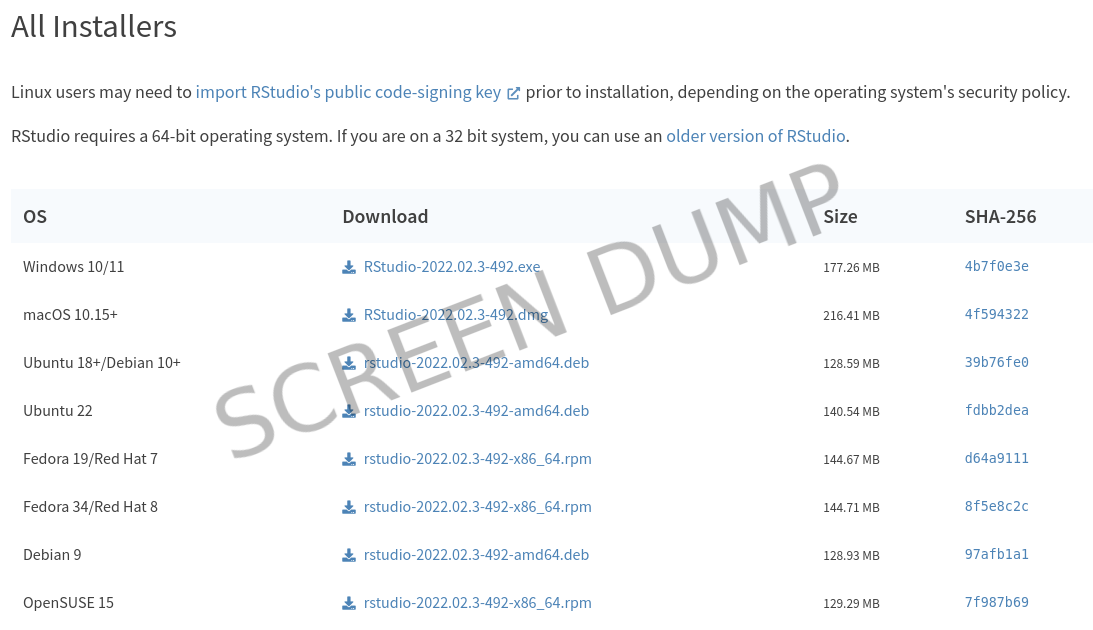
Install R and RStudio before the first day by following the steps under Getting started. Then use the lectures as your companion during the course.
Self-learners
Work through the lectures in order, or dip into the Self-study section for core concepts, practical tips and more advanced topics.
Teachers and colleagues
The material is licensed under CC BY. You are welcome to share it with friends and colleagues, or reuse it in your own teaching with attribution.
Navigation. The sidebar on the left lists all pages by section. At the bottom of each page you will find links to the previous and next pages, and the search function is in the top-right corner.
Collapsible boxes. Some content is hidden in collapsible boxes like this one. Click the title bar to open or close a box.
Tabs. Some content is split across tabs, for example instructions for different operating systems:
Microsoft Windows relevant content
MacOS relevant content
Linux relevant content
Screenshots. Screenshots are shown in a thin blue frame. They are images, so you cannot copy their text, their links do not work, and Google Translate will not translate them.